
Film Studies: Analyzing Scene Composition with AI
Learn how AI vision tools can help you break down cinematography, lighting, and framing in film scenes — turning every pause into a deeper study moment.
Try ScreenHelp Free
Get AI-powered screen assistance for any task. Analyze screenshots and get instant guidance.
Get StartedWhy Scene Composition Matters in Film Studies
Every frame in a well-crafted film is a deliberate visual statement. Directors and cinematographers spend hours perfecting the placement of actors, the angle of light, and the depth of color palettes to convey emotion, theme, and narrative tension — all without a single word of dialogue.
For film students, learning to read these visual choices is one of the most important skills you'll develop. But it's also one of the hardest. Unlike literary analysis where you can underline a sentence and look up its meaning, visual analysis requires you to simultaneously decode spatial relationships, color theory, lighting techniques, and symbolic staging.
This is where AI — specifically AI with vision capabilities — is becoming a surprisingly powerful study partner.
The Core Elements of Scene Composition
Before diving into how AI can help, let's review the foundational elements you should be analyzing in any given film frame:
1. Framing and the Rule of Thirds
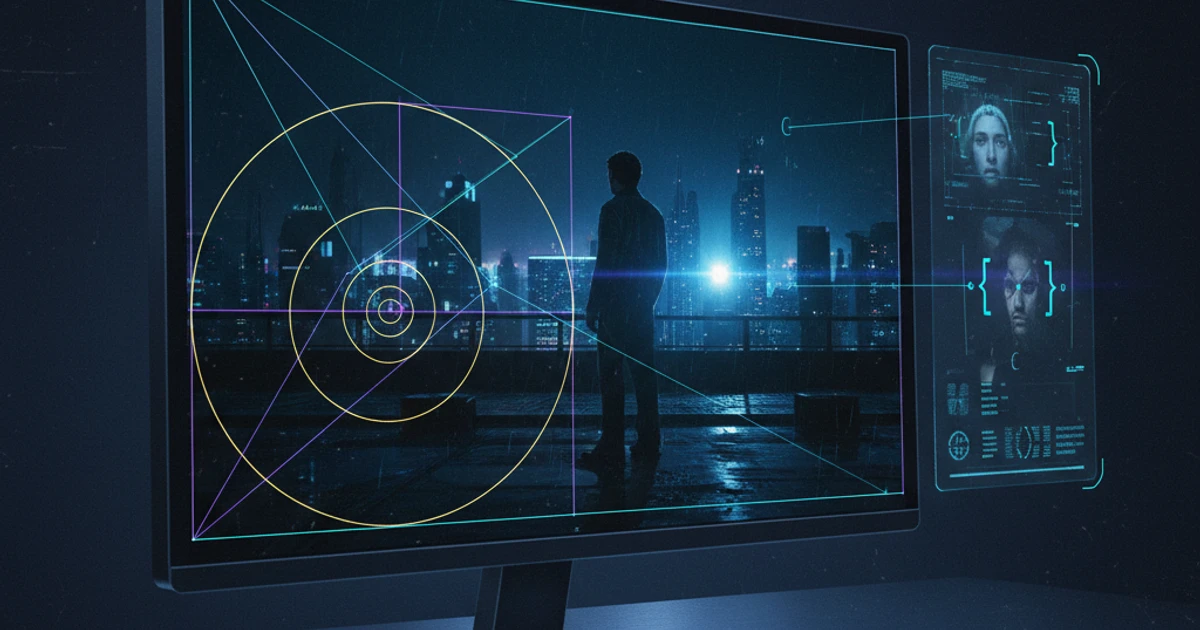
The rule of thirds divides the frame into a 3×3 grid. Subjects placed along grid lines or at their intersections tend to feel more dynamic and balanced than center-framed subjects. But filmmakers frequently break this rule intentionally — Wes Anderson's obsessive symmetry, for instance, creates a sense of artificiality and control that serves his storytelling.
2. Leading Lines and Depth
Lines within a scene — hallways, roads, fences, shadows — guide the viewer's eye toward a focal point. Deep staging (placing subjects at varying distances from the camera) adds dimensionality. Orson Welles' Citizen Kane is a masterclass in deep focus composition, where foreground and background action carry equal narrative weight.
3. Lighting and Contrast
High-key lighting (bright, even illumination) suggests openness and optimism, while low-key lighting (heavy shadows, stark contrast) implies danger, mystery, or moral ambiguity. Chiaroscuro techniques borrowed from Renaissance painting are foundational to film noir and modern thrillers alike.
4. Color Palette and Temperature
Color grading and palette choices establish mood before you've processed what's happening. Think of the desaturated blue-gray of The Revenant versus the warm amber tones of Amélie. Complementary colors can create visual tension, while monochromatic palettes unify a scene's emotional register.
5. Camera Angle and Movement
A low angle can make a character appear powerful; a high angle can render them vulnerable. Dutch angles suggest instability. Tracking shots create momentum. Each choice modifies how the audience emotionally relates to what's on screen.
How AI Vision Tools Can Help You Study Film
Here's the practical challenge: when you're watching a film for a course, you're processing story, dialogue, performance, and visuals all at once. It's easy to miss compositional details, especially when you're still building your analytical vocabulary.
An AI tool with visual understanding capabilities can serve as an on-demand analysis partner. Here's how that workflow can look:
Pause, Capture, Analyze
When you're watching a film on your computer and hit a frame that feels significant, you can pause and use an AI screen assistant to get an immediate breakdown. The AI can identify compositional techniques present in the frame — the rule of thirds, color dominance, lighting direction, depth of field cues — and explain how they might contribute to the scene's meaning.
This is exactly the kind of task ScreenHelp was designed for. You share your screen (or just the tab where your film is playing), pause on a frame, and trigger an AI analysis. The AI sees what you see and can provide a detailed compositional reading in seconds.
Build Custom Prompts for Repeated Analysis
If you're writing a paper on, say, the use of color in a specific director's filmography, you can set up a custom predefined prompt in ScreenHelp tailored to that focus. Something like:
"Analyze the color palette in this frame. Identify the dominant and secondary colors, describe the color temperature, and suggest how the color choices contribute to the scene's emotional tone."
With that prompt saved, you can rapidly move through a film, pausing at key moments and triggering the same focused analysis each time. This dramatically speeds up the research phase of essay writing.
Compare Frames Side by Side
Another effective technique is opening two stills in different tabs — perhaps from two films you're comparing — and asking the AI to describe the compositional differences. This is especially useful for comparative essays where you need to articulate precisely how two directors approach the same type of scene differently.
Practical Examples: What to Ask
If you're new to using AI for film analysis, here are some prompt ideas to get you started:
- "What compositional techniques are visible in this frame?" — A broad starting point that often surfaces details you might have missed.
- "Describe the lighting setup in this scene and what mood it creates." — Great for lighting-focused analysis.
- "Where is the viewer's eye drawn first, and why?" — Helps you understand visual hierarchy.
- "How does the framing of the characters suggest their power dynamic?" — Useful for scenes with multiple characters.
- "What is the color palette of this frame, and how does it contrast with the previous scene?" — Best used when you're tracking tonal shifts across a film.
The Value of AI as a Study Companion, Not a Replacement
It's worth being clear about what AI can and can't do here. An AI analyzing a single frame doesn't have the full context of the film's narrative arc, the director's body of work, or the specific cultural moment the film was responding to. Those layers of interpretation are yours to bring.
What AI excels at is description and identification — naming techniques, articulating visual relationships, and surfacing details that are genuinely present in the image but that you might overlook during a first or second viewing. Think of it as a very knowledgeable study partner who can always point out what's technically happening in the frame, freeing you to focus on the higher-order question of why those choices were made.
This is especially valuable during practice exams or timed coursework where you need to quickly articulate visual analysis. Having practiced with AI-assisted breakdowns, you'll find that the vocabulary and observational habits carry over into your independent work.
Tips for Getting the Most Out of AI-Assisted Film Analysis
-
Watch first, analyze second. Don't interrupt your first viewing with analysis. Experience the film as a viewer first, then revisit specific scenes with your analytical tools.
-
Use timestamps. Keep a simple log of timestamps for frames you want to revisit. This makes your second pass much more efficient.
-
Layer your analysis. Start with a broad compositional prompt, then follow up with specific questions about lighting, color, or framing. Multiple passes yield richer readings.
-
Cross-reference with course material. When the AI identifies a technique, connect it back to your textbook or lecture notes. This reinforces both your technical vocabulary and your understanding of how scholars discuss these choices.
-
Use mobile viewing for convenience. If you're reviewing AI responses while watching a film on your main screen, ScreenHelp's QR code feature lets you stream responses to your phone — so you don't have to keep switching windows.
Beyond Single Frames: Analyzing Sequences
While single-frame analysis is the most straightforward use case, don't forget that composition evolves within scenes. A slow zoom, a shifting light source, or a gradual desaturation all carry meaning.
For sequence analysis, try capturing multiple frames at key transition points within a scene — the opening, the turning point, and the resolution — and analyzing each one. Comparing the AI's descriptions across these captures can reveal how the visual language shifts to mirror the narrative arc of the scene.
Wrapping Up
Film analysis is ultimately about training your eye. The more frames you break down, the more naturally you'll start noticing compositional choices in real time. AI vision tools don't replace that training — they accelerate it by giving you an always-available analytical partner that can articulate what's in front of you with precision and detail.
Whether you're preparing for a film studies exam, working through a certification in media production, or simply trying to deepen your appreciation of cinema as an art form, having an AI that can see your screen and discuss what it sees is a genuinely useful addition to your study toolkit.
Start Using AI Screen Assistance Today
Join thousands of users who are already working smarter with ScreenHelp.
Related Articles
Marketing Strategy: Analyzing Ad Creatives with AI Vision
Learn how AI vision tools can help marketers dissect ad creatives, identify winning design patterns, and sharpen competitive analysis in real time.
Read article
Analyzing Historical Maps and Documents with AI: A Student's Guide
Learn how AI vision tools can help you decode historical maps, primary sources, and archival documents for deeper understanding in history courses.
Read article
Overcoming Writer's Block: How AI Can Spark Inspiration from Your Research
Writer's block doesn't mean your ideas have dried up — it often means you're overwhelmed by them. Learn how AI tools can help you break through by analyzing your own research materials.
Read article