
Why AI Screen Analysis is Better Than a Standard Calculator for Math
Calculators crunch numbers, but AI screen assistants understand your math problems visually — explaining steps, interpreting context, and teaching concepts.
Try ScreenHelp Free
Get AI-powered screen assistance for any task. Analyze screenshots and get instant guidance.
Get StartedThe Calculator Changed Math Education. AI Is Changing It Again.
For decades, the calculator has been the go-to companion for anyone working through math problems. From basic arithmetic to graphing functions, calculators have earned their place on every student's desk. But calculators have a fundamental limitation: they only do what you explicitly tell them to do.
If you don't know which formula to apply, which operation to perform, or how to set up the equation in the first place, a calculator sits there silently — waiting for an input it can't help you formulate.
That's where AI screen analysis represents a genuine leap forward.
What Does "AI Screen Analysis" Actually Mean?
AI screen analysis refers to technology that can look at what's on your screen — a math problem, a graph, a word problem, an equation — and interpret it visually, just like a human tutor looking over your shoulder would.
Instead of manually typing an equation into a calculator or a search bar, you simply share your screen and ask for help. The AI sees the problem as you see it and responds with context-aware explanations.
Tools like ScreenHelp use this approach: you share your screen, trigger a capture, and an AI vision model analyzes the content and streams a response back to you — all in real time.
5 Reasons AI Screen Assistants Outperform Calculators for Math
1. They Understand Context, Not Just Numbers
A calculator processes 2x + 5 = 17 if you know to isolate x and feed it the right operations. An AI screen assistant sees the equation on your screen and immediately understands the task: solve for x, show the steps, and explain the reasoning.
This is especially powerful for:
- Word problems where the math is buried in language
- Multi-step problems where choosing the right approach matters
- Graph interpretation where visual understanding is required
2. They Explain the "Why," Not Just the "What"
A calculator gives you x = 6. An AI screen assistant tells you:
"To solve 2x + 5 = 17, first subtract 5 from both sides to get 2x = 12. Then divide both sides by 2 to find x = 6."
This step-by-step explanation is the difference between getting an answer and actually learning how to solve the problem. For students studying for exams, practicing for certifications, or reviewing math concepts, understanding the process is far more valuable than the final number.
3. They Handle Any Visual Math Format
Math doesn't always come in clean typed equations. You might be working with:
- Handwritten notes photographed and displayed on screen
- Complex formatted equations in PDFs or textbooks
- Geometric diagrams and charts
- Statistical tables and data visualizations
- Matrix notation or piecewise functions
A calculator requires you to translate all of this into its specific input format. An AI that can see your screen takes the visual information as-is and works with it directly. No translation step, no lost context.
4. They Adapt to Your Level
With tools like ScreenHelp, you can set up custom predefined prompts tailored to your learning needs. For example:
- "Explain this problem step by step, assuming I'm in Algebra I"
- "Show me how to solve this using the method taught in AP Calculus"
- "Break this statistics problem down for a beginner"
A calculator has no concept of your skill level. AI screen assistants can be guided to explain concepts in a way that matches where you are in your learning journey.
5. They Work Across Your Entire Screen — Not Just a Single Input Field
Maybe you're watching a recorded lecture and a complex derivation appears on screen. Maybe you're reviewing a practice exam in a PDF. Maybe a homework platform shows a problem with embedded graphs and tables.
With an on-screen AI assistant, you don't need to retype anything. You capture the screen, and the AI processes everything visible — text, equations, graphs, diagrams — as a unified problem.
ScreenHelp's browser extension even lets you trigger captures with keyboard shortcuts anywhere in your OS, making this process seamless whether you're in a browser, a PDF reader, or a video player.
Where Calculators Still Win
Let's be fair — calculators aren't going anywhere, and they shouldn't. They're still superior for:
- Pure computation speed for known operations (quick arithmetic, unit conversions)
- Graphing specific functions when you know exactly what to plot
- Offline reliability — no internet connection needed
- Exam-permitted tools — many standardized tests allow calculators but not internet-connected devices
The point isn't to replace your calculator entirely. It's to recognize that for learning, understanding, and working through complex problems, an AI screen assistant fills gaps that calculators were never designed to address.
The Best Approach: Use Both Strategically
Think of it this way:
| Task | Best Tool |
|---|---|
| Quick multiplication or division | Calculator |
| Understanding a word problem | AI screen assistant |
| Plotting y = 3x² + 2x - 5 | Graphing calculator |
| Interpreting what a graph means | AI screen assistant |
| Checking a single computation | Calculator |
| Learning a new math concept step by step | AI screen assistant |
| Timed arithmetic drills | Calculator |
| Reviewing practice exam problems | AI screen assistant |
The smartest students and professionals use the right tool for the right job. For study sessions, concept review, and practice problems, an AI that can see and analyze your screen is genuinely transformative.
How to Get Started with AI Screen Analysis for Math
If you want to try this approach, ScreenHelp makes it straightforward:
- Sign up and click "Start ScreenHelp" in your browser
- Share your screen (a tab, window, or entire screen — your choice)
- Trigger a capture when you encounter a math problem you want help with
- Read the AI's response in your browser, or scan a QR code to stream it to your phone
You can choose between different AI models and even adjust reasoning effort for more thorough explanations on complex problems. The free tier lets you try it out before committing.
Final Thoughts
Calculators are tools of computation. AI screen assistants are tools of comprehension. When you're studying mathematics — whether it's middle school algebra, college calculus, or professional certification prep — comprehension is what moves you forward.
The ability to point at something on your screen and have an AI explain it, step by step, in plain language, is the kind of help that would have seemed like science fiction a few years ago. Today, it's practical, accessible, and genuinely useful for anyone serious about mastering math.
Start Using AI Screen Assistance Today
Join thousands of users who are already working smarter with ScreenHelp.
Related Articles
From Geometry to Graphing: The Ultimate Visual Math Assistant
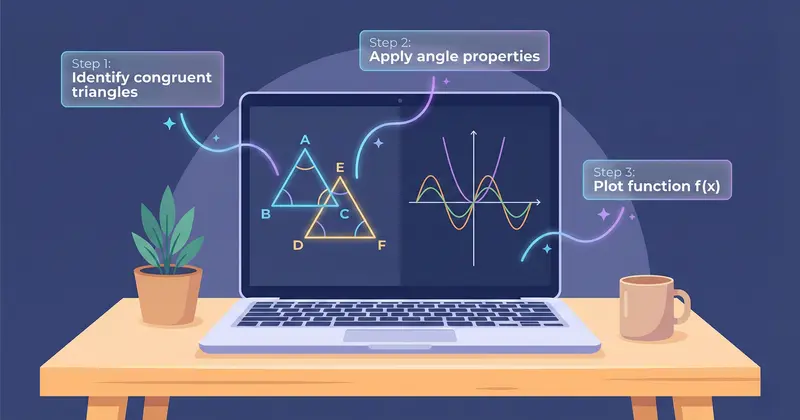
Struggling with visual math problems like geometry proofs or complex graphs? Discover how AI screen assistants can break down visual math step by step.
Read article
Analyze Poetry and Literature Themes Visually with AI Screen Assistance
Struggling with poetry analysis or literature themes? Learn how visual approaches and AI screen assistants can deepen your understanding of complex literary texts.
Read article
Translate and Understand Foreign Language Text on Screen Instantly
Struggling with foreign language text during studies? Learn how AI screen assistants can translate, explain grammar, and help you understand any language right on your screen.
Read article