
Translate and Understand Foreign Language Text on Screen Instantly
Struggling with foreign language text during studies? Learn how AI screen assistants can translate, explain grammar, and help you understand any language right on your screen.
Try ScreenHelp Free
Get AI-powered screen assistance for any task. Analyze screenshots and get instant guidance.
Get StartedThe Challenge of Foreign Language Text on Screen
Whether you're studying a second language, reading foreign-language research papers, or working through a language certification course, encountering text you can't immediately understand is a daily reality. You might be watching a lecture with untranslated slides, navigating a foreign-language website for a class assignment, or trying to decipher handwritten notes from an exchange partner.
Traditionally, the workflow looks something like this: spot unfamiliar text, copy it (if you can), paste it into a translator, get a rough translation, then try to piece together the meaning. For text embedded in images, PDFs, or video, it's even more tedious — you might end up typing it out character by character.
There's a better way.
How AI Screen Assistants Handle Language Translation
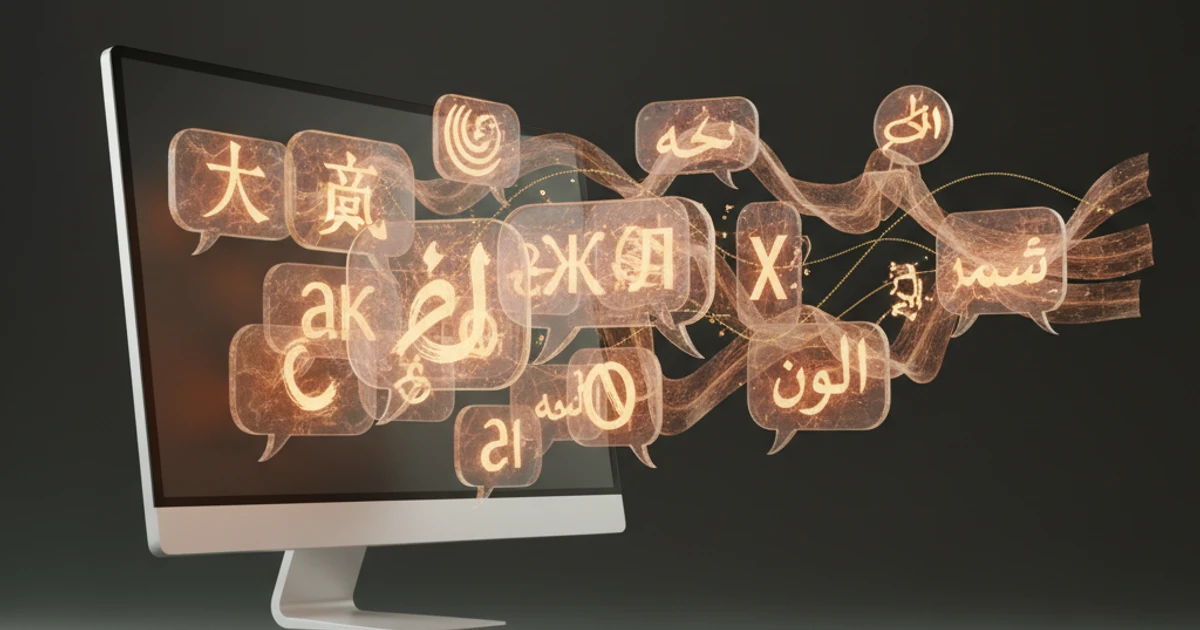
Modern AI with vision capabilities can look at exactly what's on your screen and provide instant translations with context. Unlike simple copy-paste translation, an AI screen assistant can:
- Translate text embedded in images, videos, and non-selectable formats — no manual transcription needed
- Explain grammar and sentence structure, not just give you a raw translation
- Provide cultural context and nuance that word-for-word translators miss
- Handle multiple languages in the same view, which is common in academic materials
- Break down idiomatic expressions and explain why a phrase means what it means
This is fundamentally different from running text through Google Translate. You're getting an explanation, not just a substitution.
Practical Scenarios for Language Students
Foreign Language Coursework
When you're working through exercises in Spanish, Mandarin, French, German, or any other language, an AI that sees your screen can help you understand passages you're stuck on. Instead of just giving you the answer, you can ask it to explain the grammar rules at play or break down how a complex sentence is constructed.
Reading Research Papers in Other Languages
Academic research doesn't always get translated into English. If you're studying at an advanced level, you'll inevitably encounter important papers, primary sources, or historical documents in their original language. Having a tool that can see and translate what's on your screen — while explaining the academic terminology — saves hours of manual lookup.
Language Certification Prep
Preparing for certifications like DELF, JLPT, HSK, TestDaF, or DELE involves working through practice materials that are often entirely in the target language. When you hit a passage you don't understand during practice sessions, getting an instant, contextual explanation helps you learn the material rather than just memorizing answers.
Watching Foreign-Language Lectures or Media
Many language courses incorporate authentic media — news clips, films, podcasts with on-screen text, or university lectures from other countries. When subtitles move fast or on-screen text isn't selectable, a screenshot-based approach lets you freeze a moment and get a thorough translation.
Going Beyond Simple Translation
The real value of using an AI screen helper for language studies isn't just translation — it's understanding. Here's how to get the most out of it:
Ask for Grammar Breakdowns
Instead of just asking "What does this say?", ask the AI to break down the sentence structure. For example, with a Japanese sentence, you could request a word-by-word analysis including particle usage and verb conjugation forms.
Request Difficulty-Appropriate Explanations
If you're a beginner, simple vocabulary lists might be most helpful. If you're intermediate, ask for explanations of why certain constructions are used. Advanced learners might want discussions of register, formality levels, or regional variations.
Use It for Writing Feedback
When working on foreign-language essays or assignments, you can capture your own writing on screen and ask for feedback on grammar, word choice, and natural phrasing. This is like having a language tutor available whenever you need one.
Build Vocabulary in Context
When you encounter new words in authentic materials on screen, getting them explained in context — rather than looking them up in isolation — leads to significantly better retention. Studies in second-language acquisition consistently show that contextual learning outperforms rote memorization.
How ScreenHelp Works for Language Translation
ScreenHelp is an AI screen assistant that can see and analyze whatever is on your screen. Here's how it fits into a language study workflow:
- Start a screen share session in your browser — you can share a specific tab, window, or your entire screen
- Navigate to your study material — whether it's an online textbook, a video lecture, a PDF, or a practice exam
- Trigger a capture when you encounter text you need help with
- The AI analyzes your screen using vision capabilities and streams back a detailed response
You can set up custom prompts tailored to your language studies. For example:
- "Translate all visible text to English and explain any grammar points above B1 level"
- "Identify all vocabulary from the JLPT N3 list visible on screen"
- "Translate this passage and highlight any subjunctive mood usage"
These predefined prompts mean you don't have to type instructions every time — one keyboard shortcut (using the browser extension) captures your screen and applies your custom prompt instantly.
Responses can be read in your browser or streamed to your phone via QR code, which is particularly useful if you're studying with physical textbooks and want translations on a separate device.
Tips for Effective Language Study with Screen AI
-
Don't rely on translation alone. Use the AI to understand why something means what it means, not just what it means.
-
Review before moving on. When you get an explanation, take a moment to re-read the original text with your new understanding. This reinforces learning.
-
Practice active recall. Try to translate or understand the text yourself first. Then use the AI to check your comprehension and fill in gaps.
-
Keep track of recurring vocabulary. If the AI keeps explaining the same words, those are probably high-priority items for your flashcard deck.
-
Vary your sources. Use the tool across different types of content — news articles, academic texts, social media posts, literature — to build well-rounded language skills.
The Advantage Over Traditional Translation Tools
| Feature | Copy-Paste Translators | AI Screen Assistant |
|---|---|---|
| Translate selectable text | ✅ | ✅ |
| Translate text in images/video | ❌ | ✅ |
| Grammar explanations | ❌ | ✅ |
| Cultural context | ❌ | ✅ |
| Custom prompts for study goals | ❌ | ✅ |
| Works with any on-screen content | ❌ | ✅ |
| Handles handwritten text | ❌ | ✅ (with vision AI) |
The ability to work with anything visible on screen — regardless of format — removes a major friction point in language study. No more retyping text from images or pausing videos to manually transcribe dialogue.
Final Thoughts
Learning a foreign language is one of the most rewarding academic pursuits, but it comes with inevitable moments of confusion and frustration. Having an on-screen AI assistant that can instantly translate, explain, and contextualize foreign text transforms those frustrating moments into learning opportunities.
The key is to use these tools as a study aid — not a replacement for learning. Let the AI explain what you don't understand, then make sure you internalize it. Over time, you'll find yourself needing the translations less and less, which is the whole point.
Start Using AI Screen Assistance Today
Join thousands of users who are already working smarter with ScreenHelp.
Related Articles
Perfect Your English Grammar with Instant Screen Analysis
Struggling with English grammar rules? Learn how AI-powered screen analysis can give you instant explanations for tricky grammar questions while you study.
Read article
The Ultimate Study Hack: Turning Your Screen into a Tutor
Discover how to transform your everyday screen into a powerful study companion using AI screen assistants that explain, clarify, and help you learn faster.
Read article
Cell Biology Explained: Analyze Diagrams on Your Screen with AI
Struggling with complex cell biology diagrams? Learn key structures, functions, and how AI screen assistants can help you study organelles and processes faster.
Read article