
The Ultimate Study Hack: Turning Your Screen into a Tutor
Discover how to transform your everyday screen into a powerful study companion using AI screen assistants that explain, clarify, and help you learn faster.
Try ScreenHelp Free
Get AI-powered screen assistance for any task. Analyze screenshots and get instant guidance.
Get StartedWe've all been there. You're deep in an online lecture, staring at a dense slide full of equations, diagrams, or terminology that might as well be written in hieroglyphics. You pause the video. You Google. You open three tabs. You fall down a rabbit hole. Twenty minutes later, you've forgotten what you were studying in the first place.
What if your screen could just... explain it to you?
That's the idea behind a growing category of AI-powered tools that can see what's on your screen and provide instant, contextual help. It's not science fiction — it's a genuine productivity shift for students, self-learners, and anyone preparing for exams or certifications.
Why Traditional Study Methods Hit a Wall
There's nothing wrong with flashcards, textbooks, or study groups. They've worked for decades. But today's learners face a unique challenge: information overload paired with context switching.
Consider a typical study session:
- You're watching a recorded lecture on a platform like Coursera or YouTube.
- A concept doesn't click.
- You open a new tab, search for an explanation.
- The search results give you five different explanations at five different levels.
- You spend time filtering for the one that actually matches your course material.
- By the time you return to the lecture, you've lost your flow.
This cycle is exhausting. And it's not just about time — it's about cognitive load. Every context switch drains mental energy that should be going toward actual understanding.
The Screen-as-Tutor Concept
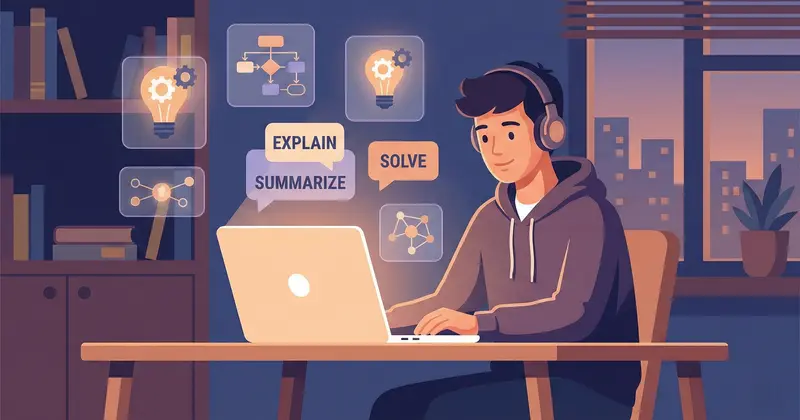
Imagine having a tutor sitting next to you who can see exactly what you're looking at and respond to your specific question about that specific thing. No need to copy-paste text, describe what you're seeing, or rephrase a complex diagram into words.
That's the core idea behind AI screen assistants — tools that use AI vision capabilities to analyze what's displayed on your screen and provide tailored explanations.
Instead of:
- Copying a math problem into a separate tool
- Screenshotting a diagram and uploading it somewhere
- Typing out a question about code you're reading
You simply share your screen and ask for help. The AI sees what you see and responds accordingly.
How This Works in Practice
Tools like ScreenHelp make this workflow surprisingly simple:
- Share your screen — choose a specific tab, window, or your entire display.
- Trigger a question — hit a button or keyboard shortcut when you need help.
- Get an instant explanation — the AI captures what's on screen, analyzes it, and streams back a response.
That's it. No copy-pasting, no uploading files, no describing what you're looking at. The AI sees the same content you do and responds in context.
ScreenHelp also supports custom predefined prompts, which is a game-changer for repetitive study tasks. For example, you could set up prompts like:
- "Explain this concept as if I'm a beginner"
- "What are the key takeaways from this slide?"
- "Break down this formula step by step"
- "Identify and explain any errors in this code"
Once configured, these prompts are available on demand — you don't have to retype them every time.
Five Practical Ways to Use a Screen AI Tutor
Here's where this gets genuinely useful. Below are real study scenarios where having an AI that can see your screen transforms the experience.
1. Decoding Complex Lecture Slides
Lecture slides are often designed for the presenter, not the viewer. They're dense, abbreviated, and assume context that you might not have. Instead of pausing and Googling every unfamiliar term, you can capture the slide and ask the AI to break it down in plain language.
Example: You're studying organic chemistry and a slide shows a reaction mechanism with multiple intermediates. Trigger the AI and ask, "Walk me through each step of this reaction." You get a step-by-step explanation tied to exactly what's on screen.
2. Working Through Practice Problems
Practice exams and problem sets are critical for learning, but they're only effective if you understand why an answer is correct. When you're stuck on a problem, capture it and ask the AI to explain the approach — not just the answer, but the reasoning.
This is particularly useful for subjects like:
- Mathematics and statistics
- Physics problem sets
- Programming challenges
- Accounting and finance exercises
3. Studying for Certifications
Certification prep (AWS, CompTIA, PMP, CPA, and countless others) often involves navigating dense study portals and practice question banks. An AI screen assistant can help you understand explanations that the prep platform provides poorly, or elaborate on concepts that the official material glosses over.
4. Learning to Code
If you're working through a coding tutorial and encounter an error message, a pattern you don't recognize, or documentation that reads like a legal contract — just capture it. Ask the AI to explain what you're looking at, what went wrong, or how a particular function works.
This is faster and more contextual than pasting code into a chatbot, because the AI also sees the surrounding context — the IDE layout, error highlighting, line numbers, and documentation you have open.
5. Language Learning and Reading Comprehension
Studying a foreign language? Browsing an article in your target language? Instead of switching to a translation app, capture the screen and ask for a translation, grammar breakdown, or explanation of idiomatic expressions — all in context.
Tips to Maximize Your Screen-Based Study Sessions
Using an AI screen assistant is most powerful when paired with good study habits. Here are some tips:
Set Up Your Prompts in Advance
Before a study session, think about the kinds of questions you'll likely ask. Pre-configure your prompts so you can trigger them instantly. This keeps you in the flow instead of typing out questions each time.
Use It for Active Recall, Not Passive Reading
Don't just ask the AI to explain everything. Instead, try to answer or understand the material first, and then use the AI to verify your reasoning or fill in gaps. This engages active recall — one of the most effective learning techniques backed by cognitive science.
Read on Your Phone While Studying on Your Computer
ScreenHelp offers a QR code feature that streams responses to your mobile browser. This is great for dual-screen setups where you want to keep your study material unobstructed on your main display while reading explanations on your phone.
Combine It with Spaced Repetition
When the AI explains something you didn't know, add it to your spaced-repetition system (Anki, Quizlet, etc.). This turns a one-time explanation into long-term retention.
Use Keyboard Shortcuts for Speed
ScreenHelp's browser extension lets you trigger screen captures with keyboard shortcuts from anywhere in your OS. This is especially useful during timed practice sessions where every second counts — you don't want to fumble around with mice and menus.
Choosing the Right Model and Settings
One often-overlooked aspect of AI-assisted study is model selection. ScreenHelp lets users choose between different AI models and adjust reasoning effort. Here's a practical way to think about it:
- Quick factual questions (definitions, translations, simple calculations): Use a faster model with lower reasoning effort. You'll get answers almost instantly.
- Complex problem-solving (multi-step math, code debugging, analytical questions): Use a more powerful model with higher reasoning effort. The extra processing time pays off in accuracy and depth.
This flexibility means you're not paying — in time or money — for more power than you need.
The Bigger Picture: How AI Is Changing Self-Study
The real shift here isn't about any single tool. It's about reducing the friction between encountering a question and getting a useful answer.
For decades, the bottleneck in self-study has been access to explanations. You'd need a teacher, a tutor, a study partner, or a lot of patience with Google. AI screen assistants compress that loop to seconds.
This matters especially for:
- Self-taught learners who don't have access to tutors or classmates
- Working professionals studying for certifications after hours
- Students in large lecture courses where individual attention is scarce
- Anyone learning in a second language who needs quick clarification
The screen-as-tutor approach works because it meets you where you already are — staring at your screen — instead of making you go somewhere else for help.
Is This Actually Better Than Just Using ChatGPT?
Fair question. You can absolutely paste text or upload screenshots into a general-purpose chatbot. But here's the difference:
| General Chatbot | AI Screen Assistant | |
|---|---|---|
| Input method | Copy-paste, upload, or describe | Automatic screen capture |
| Context | Only what you manually provide | Everything visible on screen |
| Speed | Requires switching apps | One click or keyboard shortcut |
| Workflow disruption | Moderate to high | Minimal |
| Custom prompts | Manual each time | Preconfigured and reusable |
The difference isn't intelligence — it's workflow integration. When you're studying for two hours straight, the accumulated time saved from instant captures and pre-built prompts is significant.
Final Thoughts
The best study hack isn't about working harder — it's about removing the obstacles between you and understanding. Turning your screen into a tutor with an AI screen assistant like ScreenHelp means you spend less time searching, less time context-switching, and more time actually learning.
Whether you're grinding through practice exams, deciphering a professor's slide deck, or teaching yourself a new programming language, having an AI that sees exactly what you see and responds in real time is a genuine upgrade to how you study.
Start small. Set up a couple of custom prompts for your next study session and see how it changes your flow. You might be surprised how much faster you move through material when your screen is working with you, not just displaying information at you.
Start Using AI Screen Assistance Today
Join thousands of users who are already working smarter with ScreenHelp.
Related Articles

SWOT Analysis on Autopilot: Visualizing Business Case Studies with AI
Learn how to master SWOT analysis for business case studies using AI-powered screen assistance. Break down strengths, weaknesses, opportunities, and threats faster.
Read article
Translate and Understand Foreign Language Text on Screen Instantly
Struggling with foreign language text during studies? Learn how AI screen assistants can translate, explain grammar, and help you understand any language right on your screen.
Read article
Cell Biology Explained: Analyze Diagrams on Your Screen with AI
Struggling with complex cell biology diagrams? Learn key structures, functions, and how AI screen assistants can help you study organelles and processes faster.
Read article