
Perfect Your English Grammar with Instant Screen Analysis
Struggling with English grammar rules? Learn how AI-powered screen analysis can give you instant explanations for tricky grammar questions while you study.

Try ScreenHelp Free
Get AI-powered screen assistance for any task. Analyze screenshots and get instant guidance.
Get StartedEnglish grammar is one of those subjects that feels straightforward until it isn't. You're cruising through a practice exercise, and then suddenly you're staring at a sentence wondering whether it needs "who" or "whom," whether that comma is a splice, or why the past perfect tense exists at all.
Whether you're preparing for the TOEFL, IELTS, a university grammar course, or simply trying to sharpen your writing skills, having instant explanations at your fingertips can transform the way you learn. That's where AI screen analysis comes in.
Why English Grammar Is Harder Than It Looks
English has an estimated 3,500 grammar rules when you count all the exceptions and edge cases. Native speakers internalize most of these through exposure, but for ESL learners — or anyone studying grammar formally — the sheer volume of rules can be overwhelming.
Some of the most commonly challenging areas include:
- Subject-verb agreement with collective nouns and indefinite pronouns
- Tense consistency across complex and compound sentences
- Comma usage, especially with independent clauses and introductory phrases
- Pronoun-antecedent agreement, particularly with singular "they"
- Conditional structures (zero, first, second, third, and mixed conditionals)
- Articles (a, an, the) — notoriously difficult for speakers of languages that don't use them
- Relative clauses and knowing when to use "that" versus "which"
The problem isn't just memorizing the rules. It's applying them in context, recognizing when something is wrong, and understanding why it's wrong.
Traditional Ways to Study Grammar (And Their Limits)
Most grammar study follows a familiar pattern:
- Textbooks and workbooks — Great for structured learning, but explanations can be dense and hard to connect to real examples.
- Online exercises — Platforms like Grammarly, Khan Academy, or Cambridge English offer practice, but feedback is often limited to "correct" or "incorrect."
- Tutoring — Highly effective, but expensive and not always available when you're doing a late-night study session.
- Grammar reference websites — Useful, but you need to know what to search for, which is hard when you can't identify the rule you're breaking.
The common thread? When you're stuck on a specific question or sentence, getting a clear, contextualized explanation takes time and effort. You have to leave what you're working on, search for the right rule, and try to map it back to your problem.
How AI Screen Analysis Changes Grammar Study
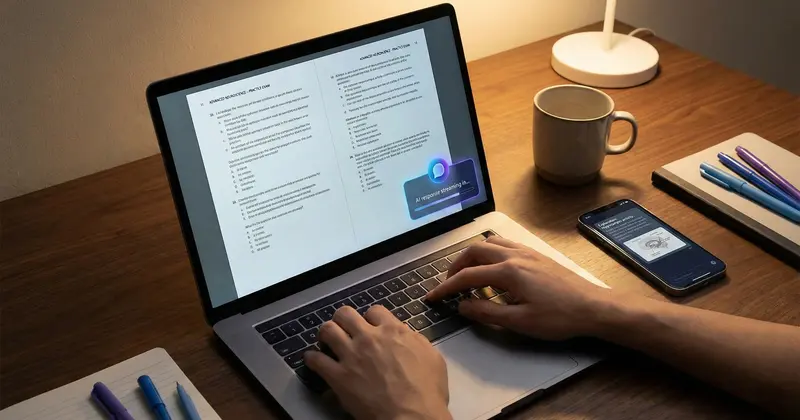
Imagine you're working through a grammar quiz on your computer. You hit a question about parallel structure that has you stumped. Instead of opening a new tab and trying to Google the right grammar concept, you simply trigger an AI assistant that can see exactly what's on your screen.
This is what tools like ScreenHelp are designed for. Here's how the workflow looks in practice:
- You're studying — maybe doing exercises on a learning platform, reviewing a practice exam, or reading through grammar notes.
- You encounter something confusing — a question you can't answer, an error you don't understand, or a rule that seems contradictory.
- You trigger the AI — with a keyboard shortcut or a button click, your screen is captured and analyzed.
- You get an instant explanation — the AI reads the content on your screen, understands the context, and provides a detailed, tailored explanation.
The key advantage is context. The AI doesn't just give you a generic grammar rule — it explains the specific sentence, question, or error you're looking at. This kind of situated learning is far more effective than abstract rule memorization.
Practical Scenarios Where Screen Analysis Helps
Scenario 1: Practice Exam Preparation
You're preparing for the grammar section of a standardized test like the TOEFL, IELTS, or SAT. You're working through practice questions and encounter a sentence correction problem:
"Each of the students have completed their assignment."
You think something is wrong but aren't sure what. Triggering an AI screen assistant gives you an explanation like: "The subject is 'each,' which is singular, so the verb should be 'has' instead of 'have.' Additionally, for strict formal agreement, 'their' could be replaced with 'his or her,' though singular 'they' is increasingly accepted."
That's not just an answer — it's a mini-lesson you'll remember.
Scenario 2: Understanding Feedback on Your Writing
You've submitted an essay and received it back with grammar corrections, but your instructor's notes are brief: "awkward phrasing" or "wrong tense." You can capture the marked-up section of your essay and get the AI to explain exactly what's wrong and how to fix it.
Scenario 3: Studying From a Textbook or PDF
You're reading a grammar textbook that explains the subjunctive mood, but the explanation isn't clicking. You capture the page on your screen and ask the AI to explain it differently — perhaps with simpler language or additional examples.
Scenario 4: Certification and Professional Exams
Many professional certifications test English proficiency as part of their requirements. If you're studying for a certification that includes language components, having an AI that can see and explain complex grammar questions in real time is like having a tutor available 24/7.
Tips for Using AI Effectively in Grammar Study
AI screen analysis is powerful, but you'll get the most out of it with the right approach:
1. Use Custom Prompts for Grammar
ScreenHelp lets you set up custom predefined prompts. For grammar study, consider creating prompts like:
- "Explain the grammar rule being tested in this question and why each answer choice is correct or incorrect."
- "Identify all grammar errors in the text on screen and explain the rules behind each one."
- "Explain this grammar concept in simple terms with three additional examples."
These tailored prompts save you time and ensure the AI's responses match your learning goals.
2. Don't Just Read the Answer — Study It
When the AI explains a grammar point, take a moment to:
- Restate the rule in your own words
- Create your own example sentence using the rule
- Note it down in a grammar journal or flashcard set
This active engagement turns a quick explanation into lasting knowledge.
3. Use the Mobile Streaming Feature
ScreenHelp lets you scan a QR code and stream AI responses to your phone. This is surprisingly useful for grammar study — you can keep the explanation on your phone for reference while continuing to work through exercises on your computer screen.
4. Vary Your Reasoning Settings
For simple identification ("Is this sentence correct?"), a quick response is fine. For deeper explanations of complex rules like conditional structures or the subjunctive mood, higher reasoning effort settings can produce more thorough, nuanced answers.
Common Grammar Mistakes the AI Can Help You Master
Here's a quick reference of frequent grammar pitfalls that benefit from contextual AI explanation:
| Grammar Area | Common Mistake | Example |
|---|---|---|
| Subject-verb agreement | Misidentifying the subject | "The list of items are long" → is |
| Dangling modifiers | Modifier doesn't match subject | "Running quickly, the finish line was reached" |
| Comma splices | Joining independent clauses with just a comma | "I love grammar, it is fascinating" |
| Who vs. whom | Using "who" as an object | "The person who I called" → whom |
| Affect vs. effect | Confusing the verb and noun | "The weather effected my mood" → affected |
| Less vs. fewer | Using "less" with countable nouns | "Less people came" → Fewer |
| Lay vs. lie | Confusing transitive and intransitive | "I need to lay down" → lie |
When you encounter these in practice exercises, an AI that can see your screen provides specific correction with the reasoning behind it — not just a red underline.
Building a Consistent Grammar Study Routine
Technology is just one piece of the puzzle. To genuinely improve your English grammar, pair AI-powered tools with a consistent study habit:
- Daily practice — Even 15 minutes of grammar exercises per day builds cumulative knowledge.
- Read widely — Reading well-edited English text (newspapers, published books, academic journals) trains your intuition for correct grammar.
- Write regularly — Apply what you learn. Write short paragraphs or journal entries focusing on grammar areas you've recently studied.
- Review mistakes — Keep a log of grammar errors you commonly make. Periodically review them and test yourself.
- Use AI as a tutor, not a crutch — The goal is to internalize the rules so you don't need to look them up. Use AI explanations to learn, then test yourself without assistance.
Who Benefits Most From AI Grammar Assistance?
- ESL/EFL students preparing for English proficiency exams
- College students taking composition or writing-intensive courses
- Professionals improving their business English
- Self-taught learners using online grammar courses and wanting deeper explanations
- Test-takers studying for the grammar portions of standardized exams like the GRE, GMAT, SAT, or ACT
No matter where you are in your grammar journey, having an AI screen assistant that provides instant, contextual explanations removes one of the biggest friction points in self-study: the gap between encountering a problem and understanding it.
Final Thoughts
English grammar doesn't have to be a source of frustration. The rules are learnable, and with the right tools, even the trickiest concepts become manageable. AI screen analysis tools like ScreenHelp bridge the gap between seeing a problem and understanding it — giving you the kind of instant, personalized explanations that used to require a human tutor.
The best part? You can start using it for free. Set up your custom grammar prompts, work through your practice materials, and let the AI help you turn confusion into clarity, one screen at a time.
Start Using AI Screen Assistance Today
Join thousands of users who are already working smarter with ScreenHelp.
Related Articles
Speed Studying: Using Keyboard Shortcuts for Instant Answers
Learn how keyboard shortcuts can transform your study sessions by giving you instant AI-powered explanations, helping you learn faster and retain more.
Read article
SWOT Analysis on Autopilot: Visualizing Business Case Studies with AI
Learn how to master SWOT analysis for business case studies using AI-powered screen assistance. Break down strengths, weaknesses, opportunities, and threats faster.
Read article
NCLEX Prep: Analyzing Clinical Scenario Questions with AI
Learn proven strategies for tackling NCLEX clinical scenario questions and discover how AI-powered screen analysis tools can accelerate your nursing exam prep.
Read article