
SWOT Analysis on Autopilot: Visualizing Business Case Studies with AI
Learn how to master SWOT analysis for business case studies using AI-powered screen assistance. Break down strengths, weaknesses, opportunities, and threats faster.
Try ScreenHelp Free
Get AI-powered screen assistance for any task. Analyze screenshots and get instant guidance.
Get StartedWhy SWOT Analysis Remains a Cornerstone of Business Education
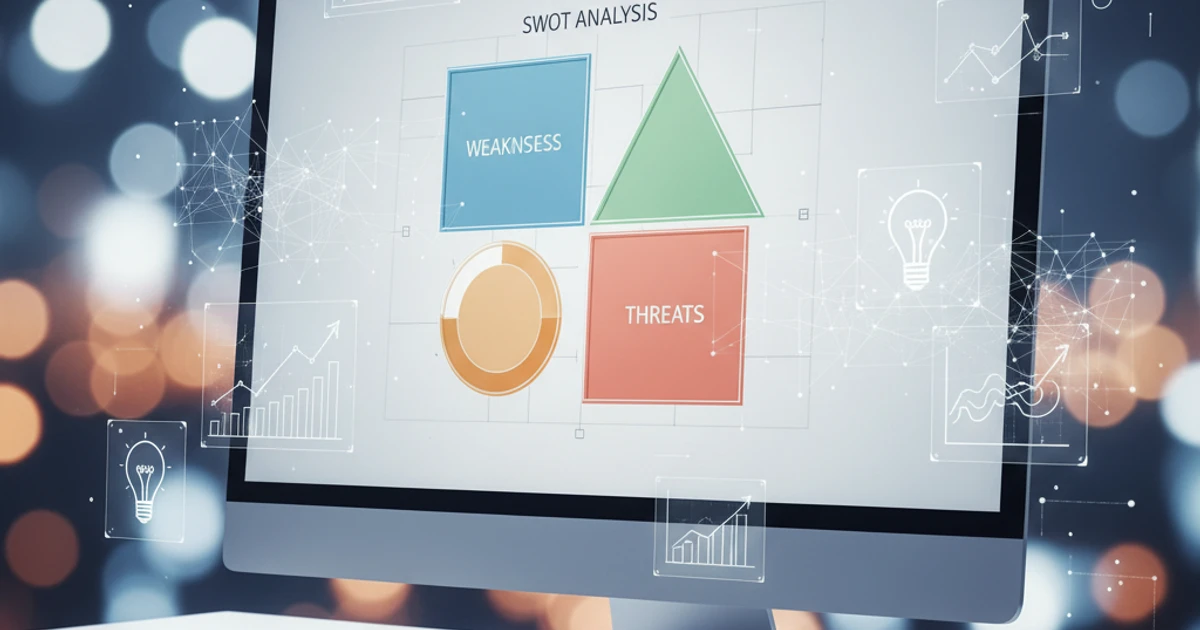
Whether you're enrolled in an MBA program, studying for a business certification, or taking your first Introduction to Management course, you've almost certainly encountered SWOT analysis. The framework — which maps out Strengths, Weaknesses, Opportunities, and Threats — has been a staple of strategic planning since Albert Humphrey popularized it in the 1960s.
But here's the thing: understanding the concept is easy. Applying it well is hard.
Business case studies throw dense, multi-layered information at you — financial statements, market positioning data, competitive landscapes, organizational charts — and expect you to distill it all into a coherent strategic picture. That's where most students struggle.
In this article, we'll walk through how to conduct sharper SWOT analyses for business case studies and how AI screen assistance tools can accelerate the learning process.
The Anatomy of a Strong SWOT Analysis
Before we talk about tools, let's get the fundamentals right. A mediocre SWOT analysis lists generic observations. A strong one is specific, evidence-based, and actionable.
Strengths (Internal, Positive)
These are the resources and capabilities that give the organization a competitive advantage. When analyzing a case study, look for:
- Financial health — Strong cash flow, low debt ratios, or high profit margins
- Brand equity — Name recognition, customer loyalty, reputation
- Operational efficiency — Proprietary processes, supply chain advantages
- Human capital — Leadership quality, specialized workforce, culture
Pro tip: Quantify whenever possible. "Strong revenue growth" is weak. "Revenue grew 23% year-over-year while the industry average was 4%" is powerful.
Weaknesses (Internal, Negative)
Honest assessment of internal limitations separates good analysts from cheerleaders. Common areas:
- Over-reliance on a single product or market segment
- Aging infrastructure or technology debt
- High employee turnover or leadership gaps
- Poor working capital management
Opportunities (External, Positive)
This is where you analyze the broader environment for favorable conditions:
- Emerging markets or underserved customer segments
- Regulatory changes that benefit the company
- Technological shifts that align with existing strengths
- Competitor weaknesses or market exits
Threats (External, Negative)
The flip side — external factors that could undermine performance:
- New entrants or substitute products
- Economic downturns or currency fluctuations
- Changing consumer preferences
- Tightening regulations or trade barriers
The Real Challenge: Information Overload in Case Studies
A typical Harvard Business School case study runs 15–25 pages. An exam-style business scenario might present condensed data — financial tables, org charts, market share graphs — all on screen at once.
Students frequently report these challenges:
- Not knowing where to start. The sheer volume of information feels paralyzing.
- Missing connections. A balance sheet ratio might directly relate to a market opportunity, but that link isn't obvious at first glance.
- Time pressure. In timed exams, practice tests, or certification scenarios, you can't afford to spend 20 minutes re-reading the case.
- Visual complexity. Charts, graphs, and tables require interpretation before they can feed into a SWOT framework.
This is exactly the kind of problem where AI screen assistance becomes genuinely useful.
How AI Screen Assistance Helps You Learn SWOT Faster
Imagine you're working through a practice case study on your laptop. The screen shows a company's financial summary, a competitive positioning chart, and a paragraph about regulatory changes in the industry.
With a tool like ScreenHelp, you can capture what's on your screen and get an AI-powered breakdown of what you're looking at. Because the AI has vision capabilities — it can actually see charts, tables, and diagrams — it can help you:
- Identify which data points belong in which SWOT quadrant. You might overlook that a declining current ratio (on a financial table) is a weakness until the AI flags it.
- Spot connections across different data sources. The AI can notice that a strength in R&D spending aligns with an opportunity in an emerging technology market.
- Explain unfamiliar financial metrics or business terminology directly in the context of what's displayed.
- Practice structured thinking. By setting up custom prompts — for example, "Analyze this screen and organize findings into a SWOT framework" — you create a repeatable study workflow.
The key benefit isn't that the AI does the thinking for you. It's that it shows you how to think about what you're seeing, which builds the analytical muscles you'll need in real business settings.
A Step-by-Step Workflow for AI-Assisted SWOT Practice
Here's a practical approach for students using screen-based AI to improve their business case analysis skills:
Step 1: Load Your Case Study
Open the case study in your browser, PDF viewer, or course platform. If it has multiple pages, focus on one section at a time.
Step 2: Set Up Your Prompt
In ScreenHelp, you can create custom predefined prompts. For SWOT practice, try something like:
"Look at the information on screen. Identify data points relevant to a SWOT analysis. Categorize each finding as a Strength, Weakness, Opportunity, or Threat. Explain your reasoning."
This type of prompt produces structured, educational output rather than just raw answers.
Step 3: Capture and Analyze Section by Section
Don't try to feed the entire case at once. Business cases are designed to be digested in layers:
- First pass: Company overview and industry context → Focus on Opportunities and Threats
- Second pass: Financial statements and operational data → Focus on Strengths and Weaknesses
- Third pass: Competitive landscape and market data → Refine all four quadrants
Step 4: Compare Your Analysis with the AI's
The most effective learning happens when you attempt the analysis yourself first, then use the AI to check and expand your thinking. Did you miss a key weakness? Did the AI highlight an opportunity you hadn't considered?
Step 5: Build Your SWOT Matrix
Compile your findings into a clean 2×2 matrix. Here's a simple template:
| Positive | Negative | |
|---|---|---|
| Internal | Strengths | Weaknesses |
| External | Opportunities | Threats |
Fill each cell with 3–5 specific, evidence-backed points. This is the standard your professors and certification examiners expect.
Beyond SWOT: Other Frameworks You Can Practice This Way
Once you've built confidence with SWOT, the same screen-analysis approach works for other business frameworks commonly tested in academic settings:
- Porter's Five Forces — Analyzing industry structure from case data on screen
- PESTEL Analysis — Categorizing macro-environmental factors from news articles or reports
- BCG Matrix — Plotting business units based on market growth and market share data from tables
- Value Chain Analysis — Breaking down operational activities from process descriptions and diagrams
- Financial Ratio Analysis — Interpreting balance sheets and income statements displayed on screen
The common thread? All of these require you to look at complex visual information and extract structured meaning. That's precisely what an AI screen assistant is built to help with.
Tips for Getting Better Results
Based on how students typically use AI screen tools for business studies, here are some practical tips:
-
Be specific in your prompts. Instead of "analyze this," try "identify the three most critical weaknesses suggested by this financial data and explain the business implications."
-
Use the mobile QR feature for study groups. ScreenHelp lets you scan a QR code to stream responses to your phone. In a study group setting, one person can capture the screen while others follow the analysis on their devices.
-
Vary your reasoning settings. For straightforward identification tasks ("What metrics are shown in this table?"), lower reasoning effort is fine. For nuanced strategic analysis, higher reasoning effort produces more thoughtful responses.
-
Don't skip the "why." Always ask the AI to explain its categorization. Understanding why something is a threat vs. a weakness builds the conceptual depth that earns top marks.
-
Practice with real-world examples. Pull up a company's annual report or investor presentation in your browser and run a live SWOT analysis. Real data is messier than textbook cases, which makes it better practice.
Common Mistakes in SWOT Analysis (and How to Avoid Them)
Even with AI assistance, watch out for these frequent pitfalls:
- Confusing internal and external factors. "Increasing competition" is a threat (external), not a weakness (internal). This is the most common categorization error.
- Being too vague. Every point in your SWOT should be specific enough to act on.
- Listing without prioritizing. Not all strengths are equal. Rank them by strategic significance.
- Ignoring interactions between quadrants. The best analyses show how a strength can exploit an opportunity, or how a weakness amplifies a threat. This is called TOWS analysis — the strategic extension of SWOT.
- Treating SWOT as the final step. SWOT is a diagnostic tool. The real work is the strategic recommendations that flow from it.
From Classroom to Career
Mastering SWOT analysis isn't just an academic exercise. Management consultants, product managers, and venture capitalists use variations of this framework daily. The ability to quickly scan complex information, categorize it into a strategic structure, and derive actionable insights is one of the highest-value skills in business.
By practicing with AI-assisted screen analysis tools, you're not just preparing for your next exam or certification — you're building a habit of structured strategic thinking that will serve you throughout your career.
The goal is to reach a point where you can look at any business scenario — on screen, on paper, or in a boardroom presentation — and immediately begin organizing what you see into actionable insights. That's the real autopilot: not the AI doing it for you, but your own analytical instincts running on pattern recognition you've built through deliberate practice.
Start Using AI Screen Assistance Today
Join thousands of users who are already working smarter with ScreenHelp.
Related Articles

Deconstruct Experimental Designs with AI Screen Analysis
Learn how to break down complex experimental designs in research papers and coursework using AI-powered screen analysis for deeper academic understanding.
Read article
The Ultimate Study Hack: Turning Your Screen into a Tutor
Discover how to transform your everyday screen into a powerful study companion using AI screen assistants that explain, clarify, and help you learn faster.
Read article
Visualizing the Nervous System: An AI Anatomy Study Guide
Master the nervous system with visual learning strategies and AI-powered study tools. From neurons to brain anatomy, build lasting understanding for exams.
Read article