
Study from the Couch: Streaming AI Explanations to Your Phone
Learn how to stream AI-powered explanations directly to your mobile phone with ScreenHelp's QR code feature — study comfortably from anywhere in your home.
Try ScreenHelp Free
Get AI-powered screen assistance for any task. Analyze screenshots and get instant guidance.
Get StartedThe Problem with Being Glued to Your Desk
We've all been there. You're deep into a study session, hunched over your laptop, toggling between lecture slides, textbook PDFs, and whatever AI tool you're using to make sense of it all. Your neck hurts. Your back aches. And the idea of spending another three hours in that desk chair makes you want to abandon the entire subject.
What if you could keep your study materials on your computer but read detailed explanations on your phone — from the couch, from bed, or from wherever you're most comfortable?
That's exactly what ScreenHelp's mobile streaming feature is designed for.
How It Works: QR Code to Mobile Streaming
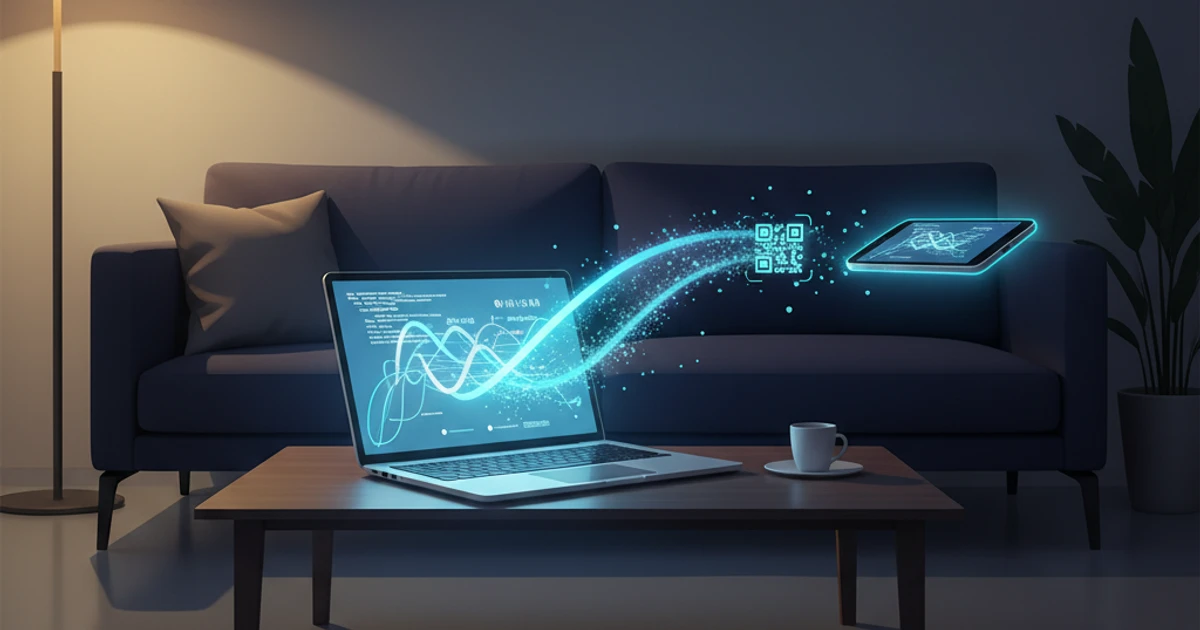
ScreenHelp is an AI screen assistant that can see what's on your screen and provide instant explanations. But here's the feature that changes the study game: after you capture something on your computer, you can scan a QR code and have the AI's response streamed directly to your mobile browser.
Here's the workflow:
- Set up on your computer — Open your study materials (lecture recordings, slides, textbook PDFs, practice problems) on your main screen.
- Start ScreenHelp — Click the browser button to begin screen sharing. You can share a specific tab, a window, or your entire screen.
- Scan the QR code — Use your phone camera to scan the QR code ScreenHelp provides. This links your mobile browser to your session.
- Trigger a capture — Whenever you hit something confusing, trigger the AI. The explanation streams in real-time to your phone.
Now your computer stays at the desk with the study material, and you're reading clear, detailed breakdowns on your phone from wherever you want.
Why Reading on Your Phone Actually Helps
This isn't just about physical comfort (though that matters). There are real cognitive benefits to separating your source material from your explanation screen:
Reduced Context Switching
When explanations appear on the same screen as your study material, you're constantly scrolling up and down or switching between tabs. With responses on your phone, your study material stays uninterrupted on your monitor while you read the explanation on a separate device. It's the dual-monitor experience without needing a second monitor.
Better Focus
Research on split-attention effects suggests that having reference material and explanations in close physical proximity — but on separate surfaces — can actually reduce cognitive load. Your eyes aren't competing for the same screen real estate.
Physical Flexibility
Study sessions that involve movement and posture changes tend to be more sustainable. You can glance at your laptop, walk to the couch, read the explanation on your phone, then come back to trigger the next question. It breaks the monotony.
Practical Study Scenarios
Here are some real ways students are using this setup:
Reviewing Lecture Recordings
Pause a recorded lecture on a confusing slide. Trigger ScreenHelp to analyze what's on screen. Read the explanation on your phone while the slide stays visible on your laptop. When you're ready, unpause and keep going.
Working Through Practice Exams
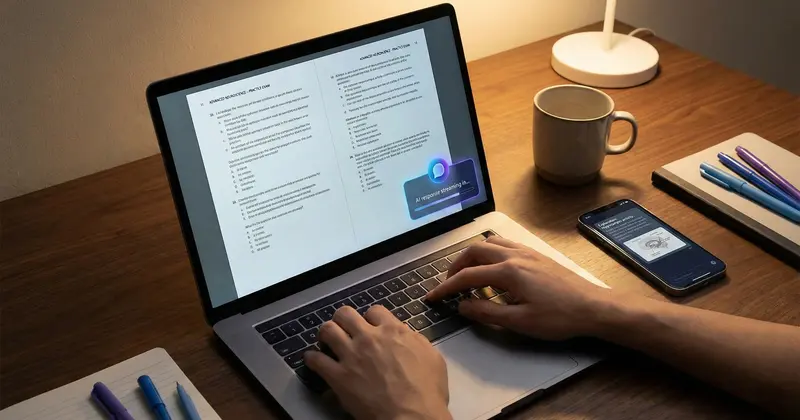
Pull up a practice exam on your computer. Work through problems at your own pace. When you get stuck, trigger the AI to explain the question and the underlying concept. Read the breakdown on your phone, then go back to the exam and try the next one.
Studying Dense Textbook Pages
Open a digital textbook to a particularly dense section — organic chemistry mechanisms, constitutional law precedents, statistical proofs. Capture the page and get a plain-language explanation streamed to your phone. It's like having a tutor summarize the hard parts for you.
Certification Prep
Whether you're preparing for CompTIA, AWS, CPA, or any other professional certification, you can pull up practice materials on your computer and use ScreenHelp to break down questions and concepts as you go.
Making the Most of Custom Prompts
One of ScreenHelp's features that pairs especially well with mobile streaming is custom predefined prompts. Instead of relying on a generic "explain this" instruction every time, you can set up prompts tailored to your study style:
- "Explain this concept like I'm a beginner" — Great for subjects you're just starting.
- "Break down each step of this problem" — Perfect for math, physics, or engineering courses.
- "Summarize the key points on screen" — Useful for dense slides or textbook pages.
- "What are the most likely exam questions from this material?" — Helps you study strategically.
- "Explain any errors visible and why they're wrong" — Good for reviewing your own practice work.
Set these up once, and you can trigger them with a single click (or a keyboard shortcut if you're using the browser extension). The response streams straight to your phone.
Tips for an Optimal Setup
To get the best experience with mobile streaming:
- Keep your phone charged — Streaming responses over an extended study session will use battery. Keep a charger nearby.
- Use Wi-Fi — Both your computer and phone should be on a stable connection for smooth streaming.
- Adjust text size on your phone browser — If you're reading from a distance (like across the room on a couch), bump up the font size in your mobile browser settings.
- Share just the relevant tab or window — You don't need to share your entire screen. Sharing only the tab with your study material keeps things focused and private.
- Use the browser extension for faster captures — ScreenHelp's browser extension lets you trigger captures with keyboard shortcuts, which means less clicking and more studying.
A Different Way to Study
The traditional image of studying — sitting rigidly at a desk, staring at one screen for hours — doesn't work for everyone. Some people absorb information better when they're physically comfortable. Some think more clearly when they can pace around the room. Some just study longer when they aren't fighting discomfort.
ScreenHelp's mobile streaming feature doesn't change what you study. It changes how — giving you the flexibility to keep your source material on a big screen while reading AI-generated explanations wherever you're most comfortable. It's a small workflow change that can make long study sessions significantly more bearable.
Whether you're prepping for a final exam, grinding through certification material, or just trying to understand a tough chapter, being able to stream explanations to your phone means your study session doesn't have to end when your back gives out.
Start Using AI Screen Assistance Today
Join thousands of users who are already working smarter with ScreenHelp.
Related Articles
Speed Studying: Using Keyboard Shortcuts for Instant Answers
Learn how keyboard shortcuts can transform your study sessions by giving you instant AI-powered explanations, helping you learn faster and retain more.
Read article
Visualizing the Nervous System: An AI Anatomy Study Guide
Master the nervous system with visual learning strategies and AI-powered study tools. From neurons to brain anatomy, build lasting understanding for exams.
Read article
SWOT Analysis on Autopilot: Visualizing Business Case Studies with AI
Learn how to master SWOT analysis for business case studies using AI-powered screen assistance. Break down strengths, weaknesses, opportunities, and threats faster.
Read article